
AI technician for camera and alarm systems on the SUP Companies internal network
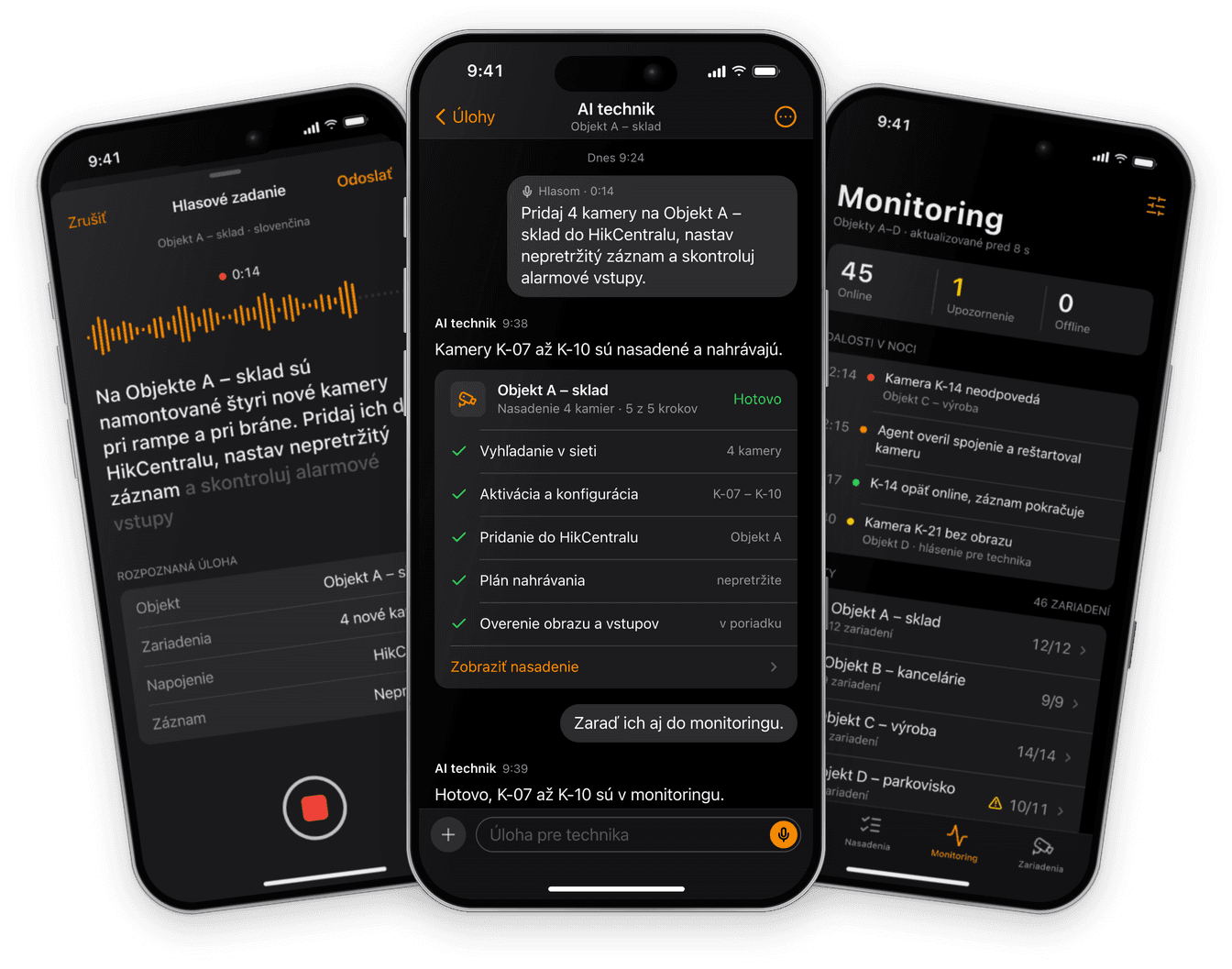
An AI agent that deploys camera and alarm systems on the SUP Companies internal network, connects them to HikCentral and other systems, configures the devices and continuously monitors their status.
Physical and electronic protection for around 800 sites in Slovakia
SUP Companies are two companies of a security group based in Komárno — Diplomat-profesional, SBS-team s.r.o. and SUP Digital Security Servis, s.r.o. They guard around 800 sites, run four response patrols and operate their own central monitoring station non-stop.
Their clients include the Faculty Hospital Nitra, Gamota JR and Heineken. Electronic protection includes deploying camera and alarm systems — technical work in which devices have to be configured on the internal network, connected to the HikCentral platform and other systems, and then watched to make sure they keep working.
We handed this work to an AI agent that works as a technician directly on the company network.
- 01
Request
The technician says what is needed
- 02
Discovery
Devices on the internal network
- 03
Configuration
Device settings
- 04
Connection
HikCentral and other systems
- 05
Verification
Image, recording, inputs
- 06
Monitoring
Ongoing status
An AI agent in security systems internal network, varied devices and site protection
The agent works with devices that protect clients' sites. That set four requirements.
Devices on the internal network
Cameras and alarm panels are not reachable from the internet. The agent therefore has to work directly on the internal network where the devices run.
Different devices, one shared platform
Camera and alarm systems each have their own interfaces and settings. The agent has to connect them to the HikCentral platform and the other systems the company uses.
Security comes first
The agent works directly inside security systems, so none of its settings may weaken the protection of a site.
Device status, continuously
A device that stops working has to be caught in time. The agent therefore continuously monitors the status of the devices.
The agent works directly on the company's internal network, within limits set when it was designed, and none of its settings may weaken the protection of a site.
On the internal network
Cameras and alarm panels are not reachable from the internet. The agent therefore runs directly on the company network, where the devices operate.
Defined limits
In the design we set out what the agent does on its own during rollout, configuration and monitoring, and within what limits.
Status under watch
Once a device is deployed, the agent continuously checks that it works, so that an outage is caught in time.
Assigning a task in a plain sentence, also by voice
Devices are mounted on site by a technician, who then tells the agent what needs to happen next: which site, which devices and what to connect them to. The agent turns the request into a task and carries it out on the internal network.
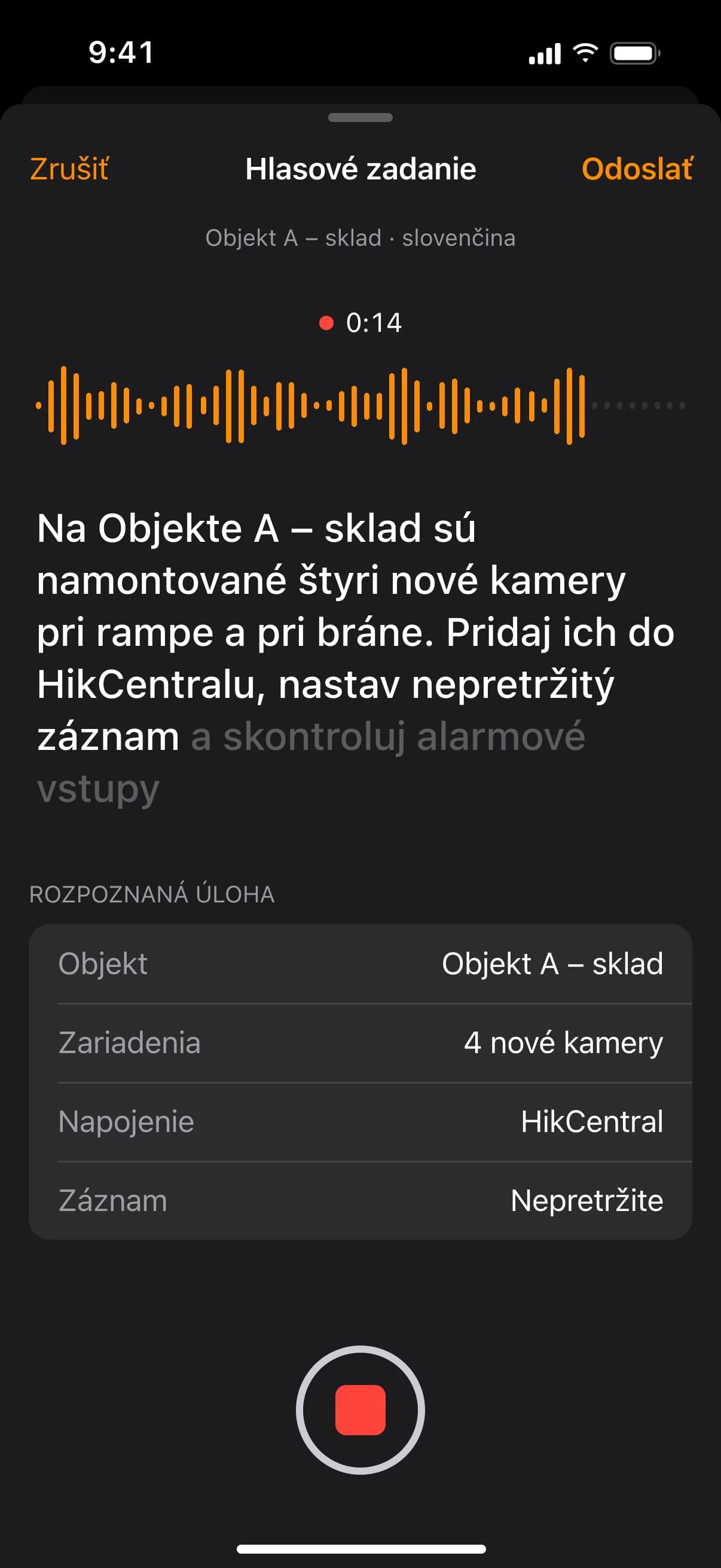
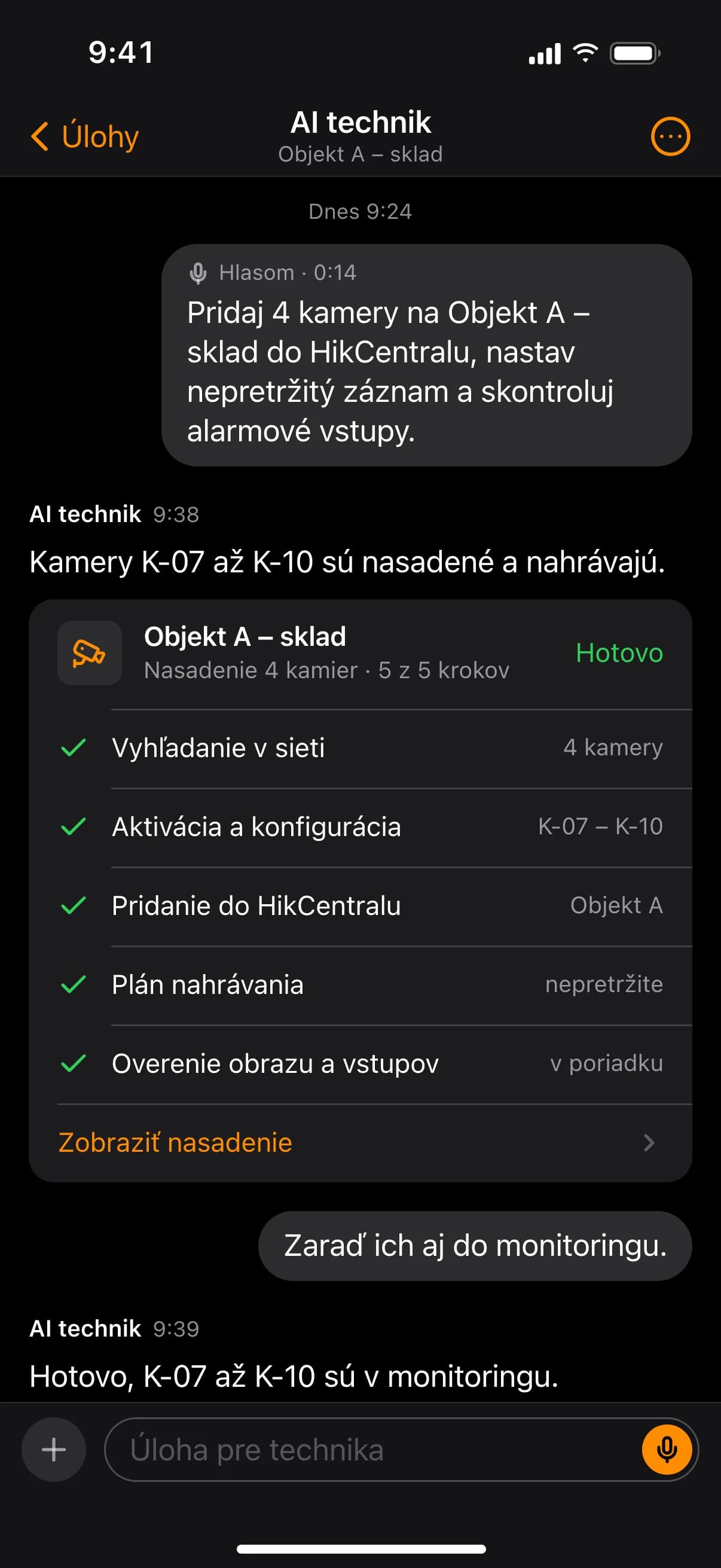
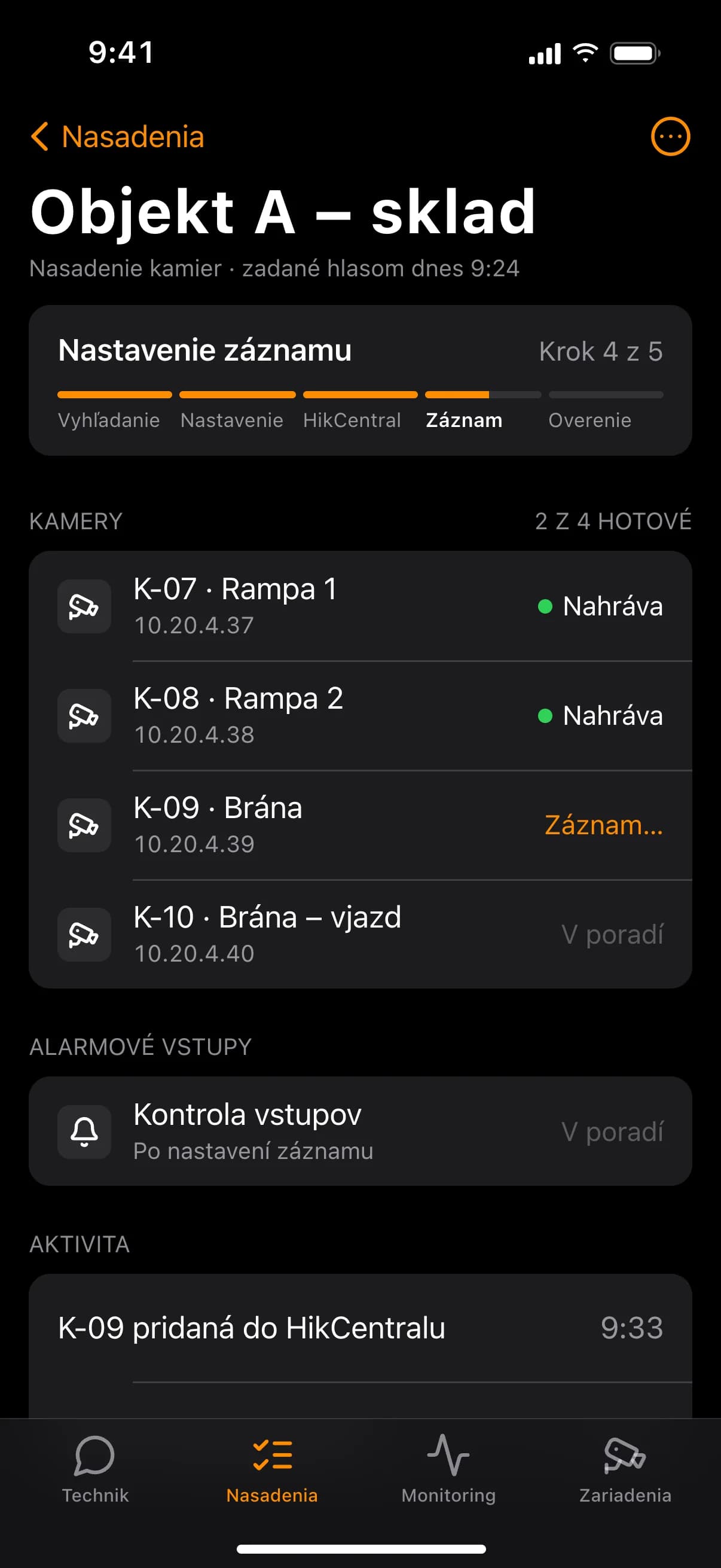
Deploying cameras from network discovery to a verified recording
The agent finds new cameras on the internal network, sets them up, adds them to the HikCentral platform under the right site and checks that the image and recording work. Device configuration is done by the agent instead of by hand.
Alarm panels configured and connected the same way
The agent also deploys alarm systems. It finds the panel on the internal network, configures it and connects it to HikCentral or another system the company uses.
Status of deployed devices tracked continuously
After rollout the agent keeps track of device status, so that an outage of a camera or alarm panel is caught in time.
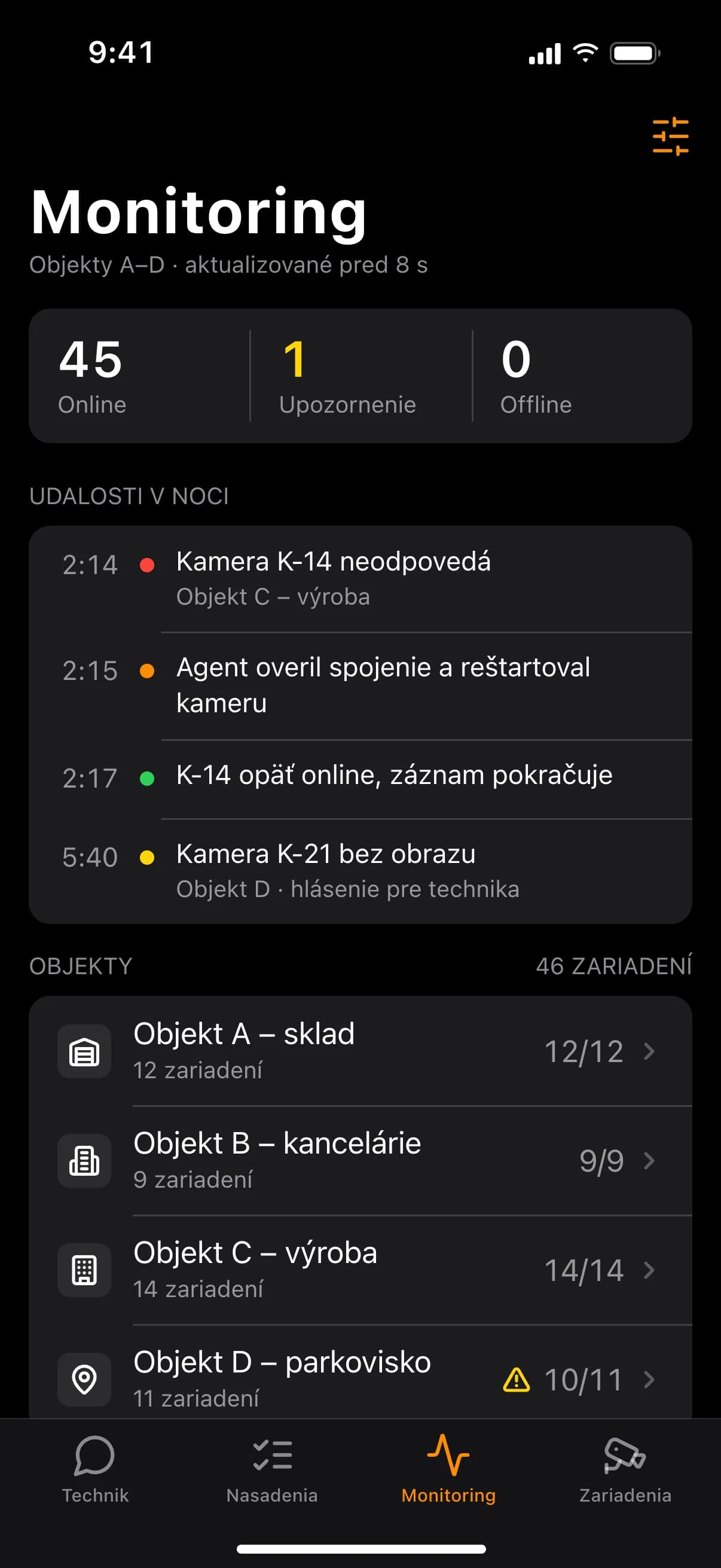
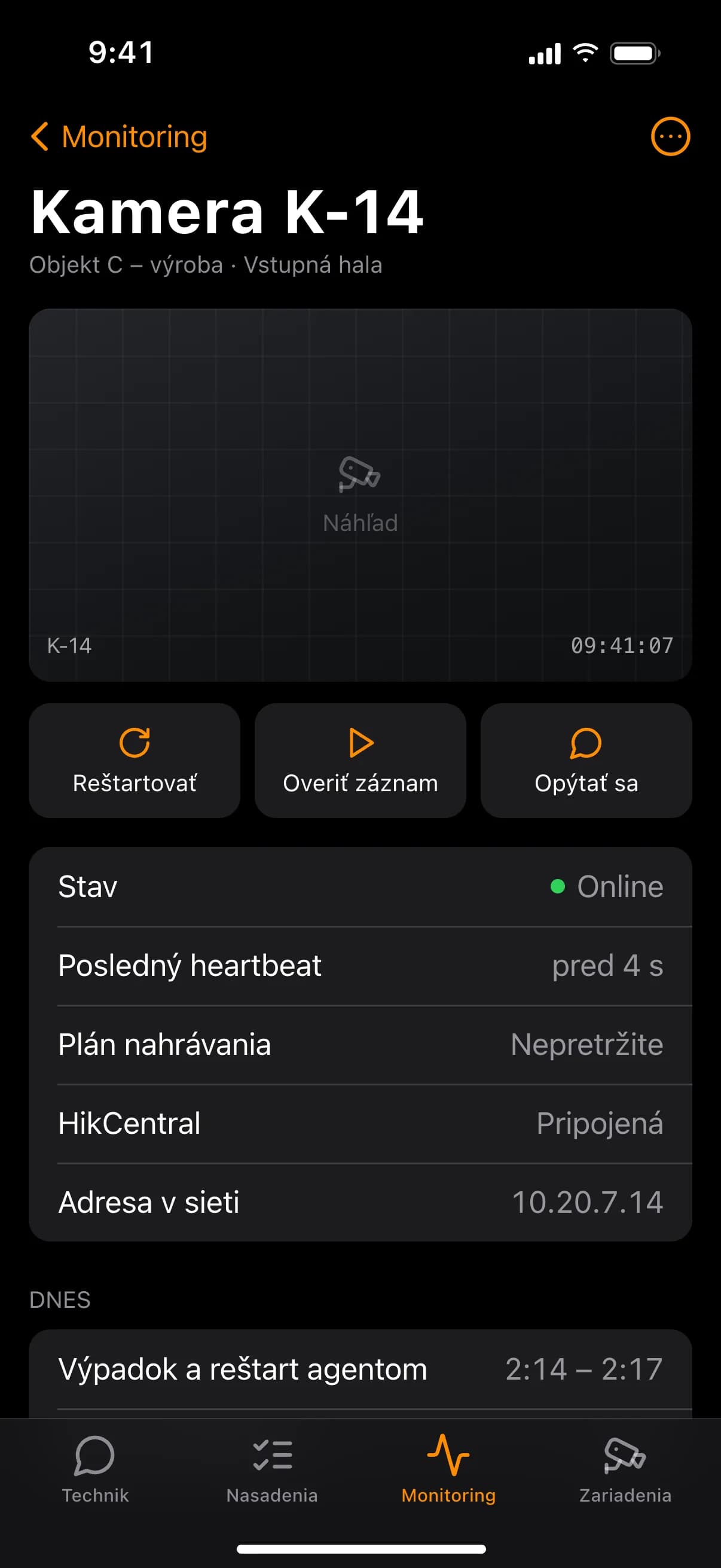
New rollouts and status checks the agent's work over a day
Alongside deploying new devices, the agent continuously tracks the status of those already running. It does both on the company's internal network.
- 06:00Morning device status checkSites A–D
- 09:30Camera rollout · Site A – warehouseK-07 to K-10 in HikCentral
- 11:00Adding alarm panel · Site B – officesConfiguration and connection
- 14:00Recording check · Site A – warehouseNew cameras
- 22:00Overnight device status checkSites A–D
From mapping devices to deploying the agent on the network
The project ran in four steps.
- 01
Mapping devices and procedures
The camera and alarm systems, the platforms the company works with, and how a rollout is done.
- 02
Designing the agent
What the agent does on its own during rollout, configuration and monitoring, and within what limits.
- 03
Integrations
Connecting the agent to the devices on the internal network and to the HikCentral platform.
- 04
Rollout and monitoring
The agent deployed on the company network and continuous monitoring of device status started.
An AI technician on the internal network for camera and alarm systems
SUP Companies has an AI agent that works as a technician on the company network. It deploys camera and alarm systems, connects them to the HikCentral platform and other systems, configures the devices and continuously tracks their status — within the limits set when it was designed.
What we delivered
- 01AI agent on the company's internal network
- 02Deployment of camera systems
- 03Deployment of alarm systems
- 04Connection of devices to HikCentral and other systems
- 05Device configuration
- 06Continuous monitoring of device status
Got a project? We'd love to help.
No lengthy forms — just message us straight through chat. Our AI assistant will help right away, and we'll get back to you. Alternatively, send us an email at [email protected]
INTERFÁČIK uses artificial intelligence and its answers may be inaccurate. Please don't send sensitive personal data. By using the chat you agree to the processing of your data to the extent necessary to handle your request, in accordance with our privacy policy.