
ACHYLES GYM booking system website, mobile app and CMS for a private gym without a reception desk
For ACHYLES GYM, a private gym, we designed and built a website with a booking calendar, a customer area, a mobile app for iOS and Android and a CMS for the owner. All four parts work on the same data.
A private gym without a reception desk 75-minute slots for one customer at a time
ACHYLES GYM is a private gym without a reception desk. Customers book a 75-minute slot and have the whole gym to themselves for that time. Slots start every day from 6:00 and the last one ends at 21:00 – 12 a day.
There are no staff at the door. Bookings, payments, access and changes to opening hours are therefore handled by the system: customers buy entries online, book a slot and open the door with a QR code. The owner needs to see who came, who cancelled and who changed what in the system.
Running without staff bookings, access, payments and oversight
Without a system, a small gym with no reception desk would have to handle these by hand every day.
Who comes when
Bookings by phone and message overlap, and customers can’t see what is free. Each slot may belong to one customer only.
Access without keys
A physical key can’t be handed to dozens of people, and a door code gets passed around. Access must be valid only for the time of the slot.
Payment in advance
Cash, bank transfers and paper passes can’t be matched to visits or checked.
Changes and oversight
Maintenance or a stocktake cancels slots, and the customers affected need their entries back. The owner isn’t at the door and needs a record of every entry and every change.
The website, customer area, mobile app and CMS work on the same data, and the owner sets up how the gym runs in the CMS.
Entries as the single way to pay
Customers buy entries in advance – one, a package or a custom number. Each booking uses one entry. Entries never expire and are refunded automatically when a booking is cancelled more than 24 hours ahead.
Booking, QR code and door
Once a booking is confirmed, a QR code is created, valid from 5 minutes before the start to 5 minutes after the end of the slot. Every attempt to enter is recorded.
The CMS as the source of settings
Opening hours, slot length, prices, exceptions to opening hours and discount codes are set by the owner in the CMS. The website and app pick them up automatically.
From buying entries to entering the gym on the website or in the app
Customers complete the whole journey on their own, without a phone call or a reception desk.
- 01
Sign-in
With an e-mail and a one-time 6-digit code, no password.
- 02
Entries
Bought by card, optionally with a discount code. The receipt arrives by e-mail.
- 03
Choose a slot
Free 75-minute slots 14 days ahead.
- 04
Slot on hold
The slot is held for 10 minutes while the customer confirms.
- 05
QR code
In the app, by e-mail and on the website, with a reminder 2 hours before.
- 06
Door
The reader checks the code with the system, which answers “let in” or “don’t let in”.
A booking calendar on the website free slots 14 days ahead
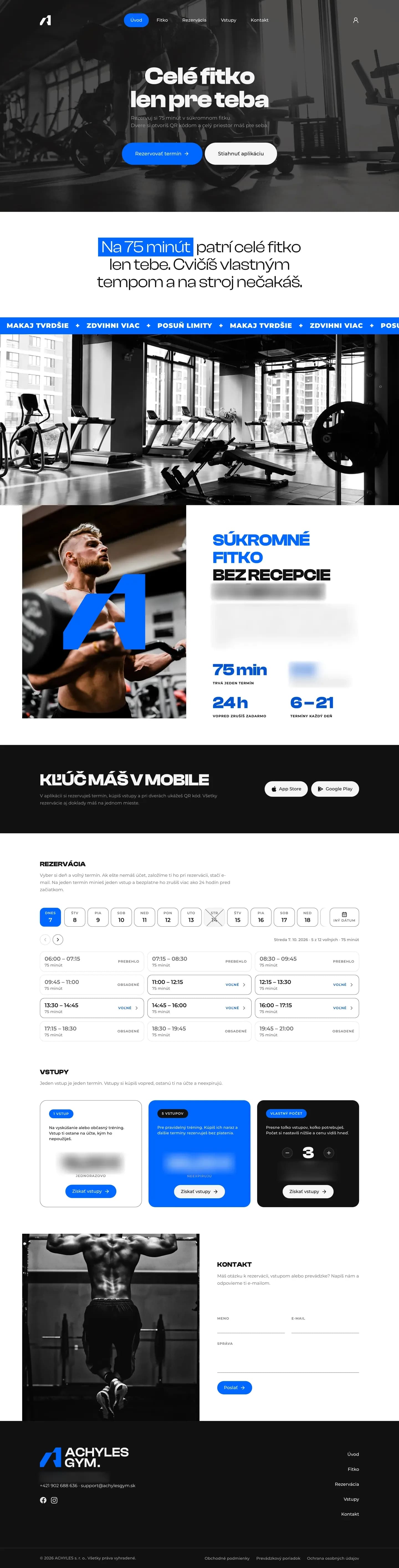
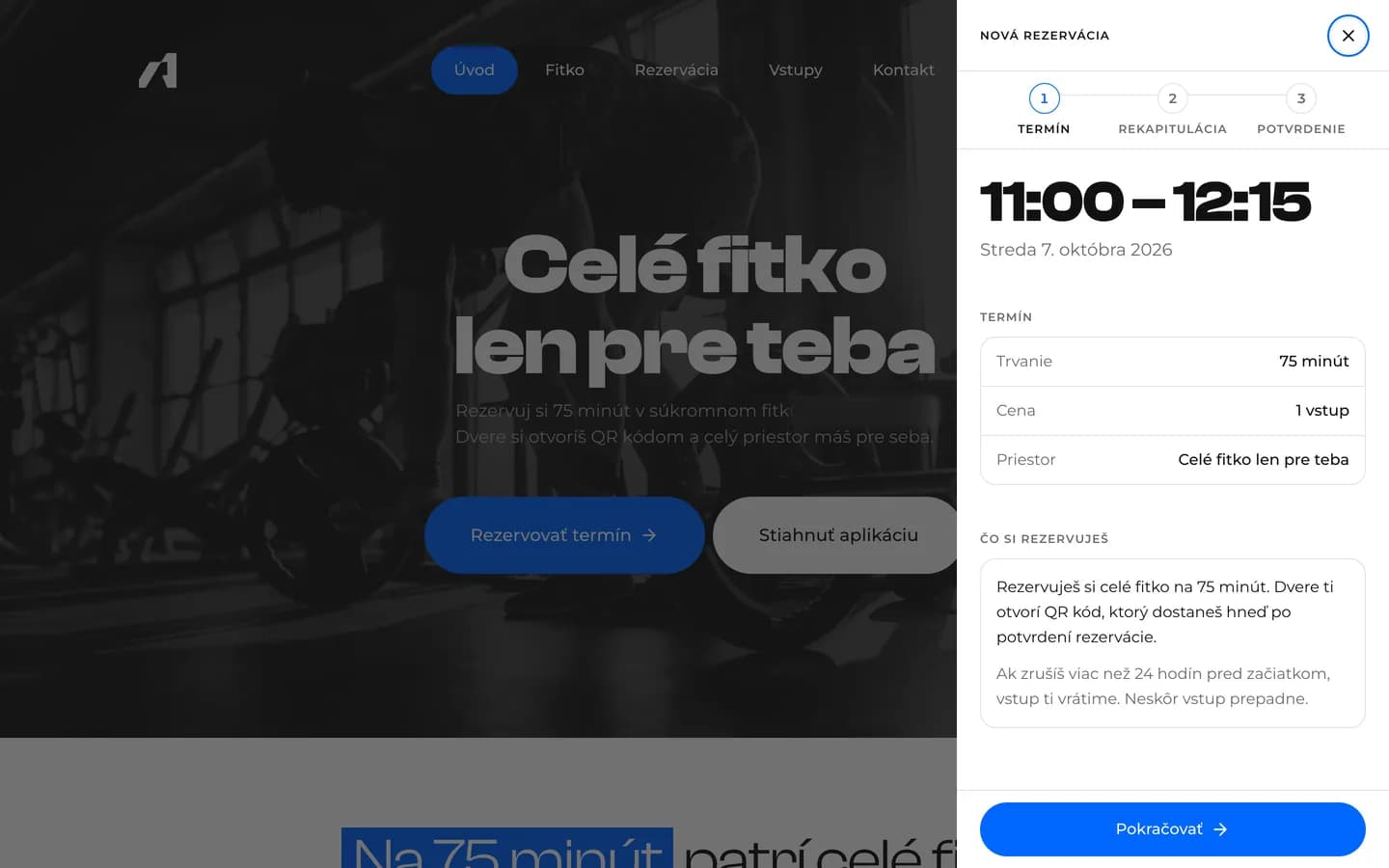
On achylesgym.com, customers pick a day and a free slot. Anyone without an account gets one at booking – an e-mail address is enough. Slots are generated automatically from the weekly schedule in the CMS.
Each slot can belong to one customer only, even when several people click it at once. Closed days are crossed out in the calendar, with the reason shown on hover. The website is published; buying entries and booking on it switch on when the client decides to open sales.
- A slot held for 10 minutes with a countdown
- At most 5 active bookings per customer
- Free cancellation more than 24 hours ahead
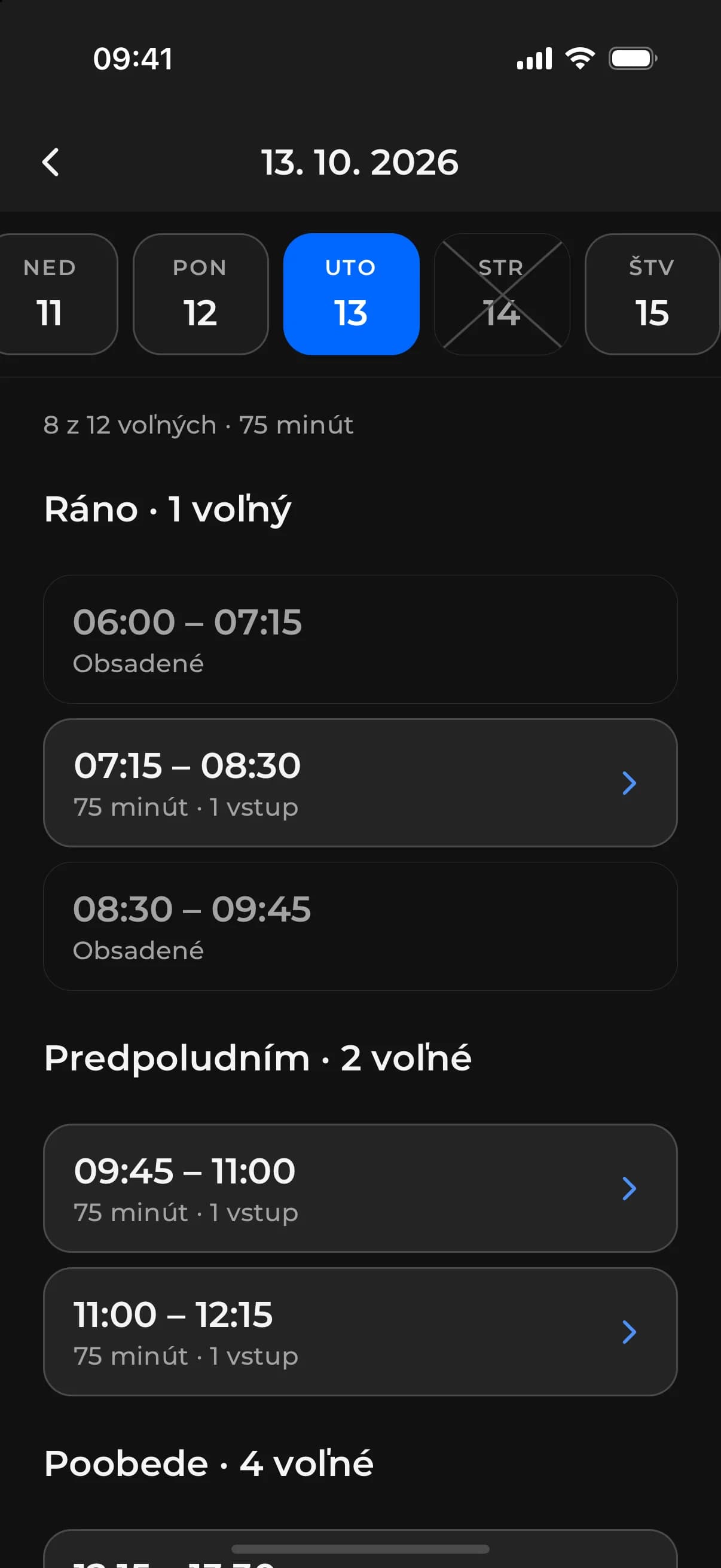
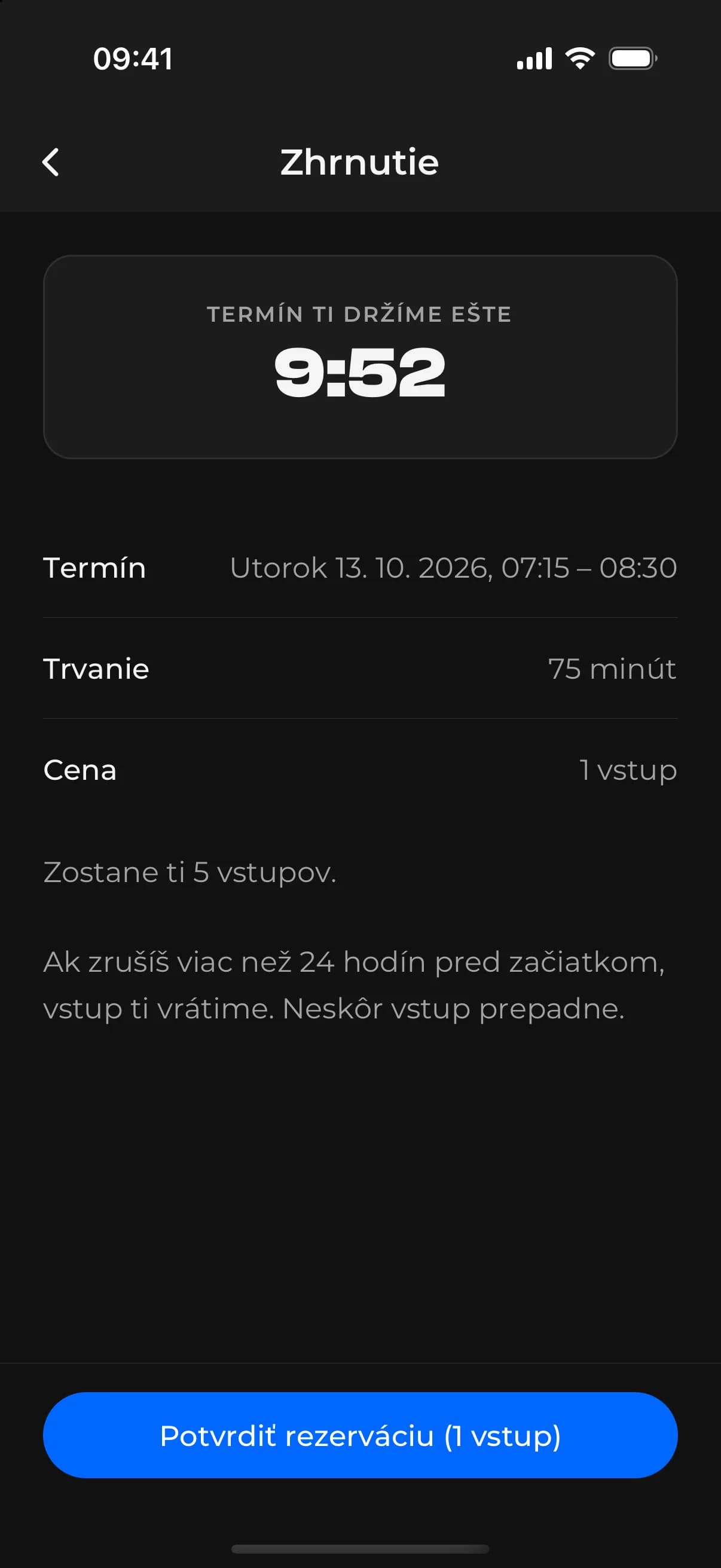
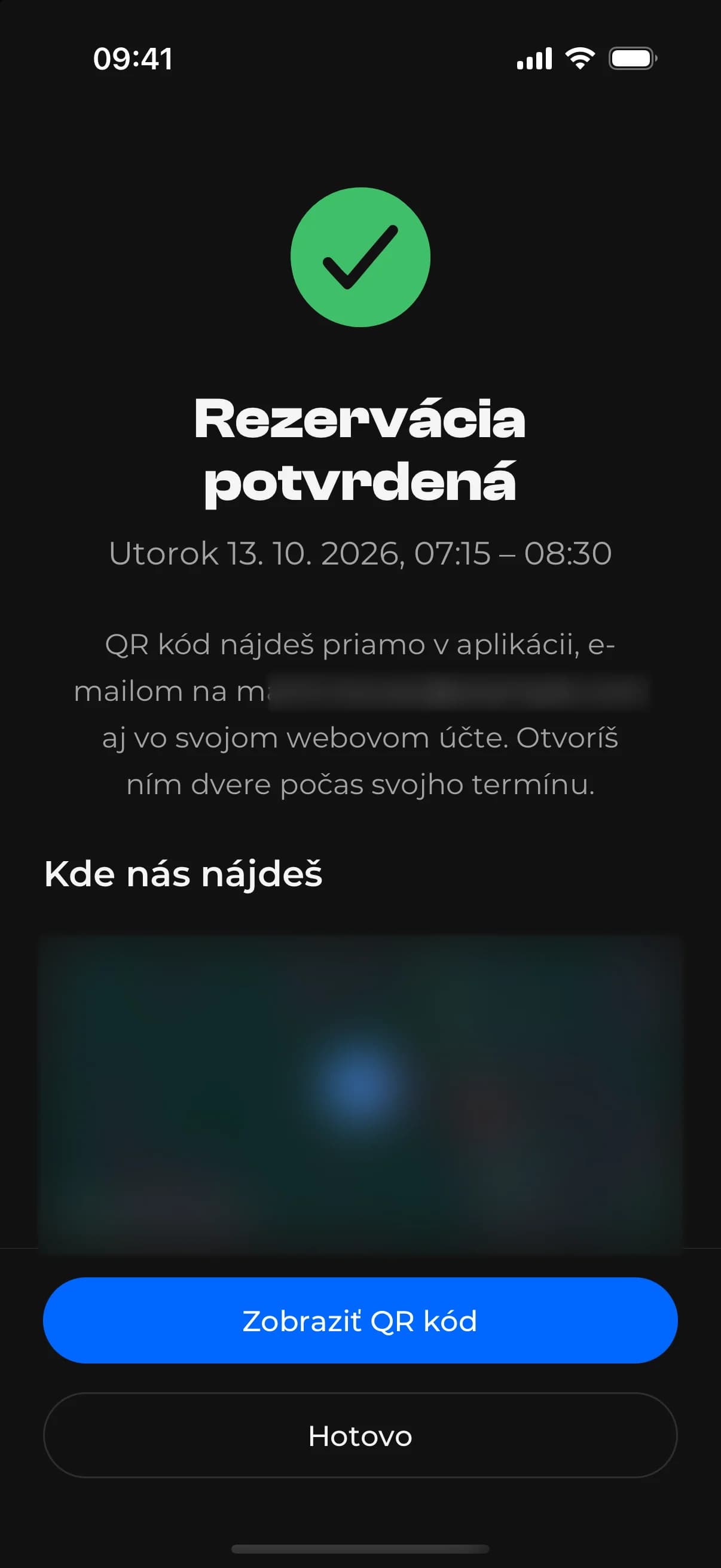
Booking in the mobile app calendar, summary and confirmation
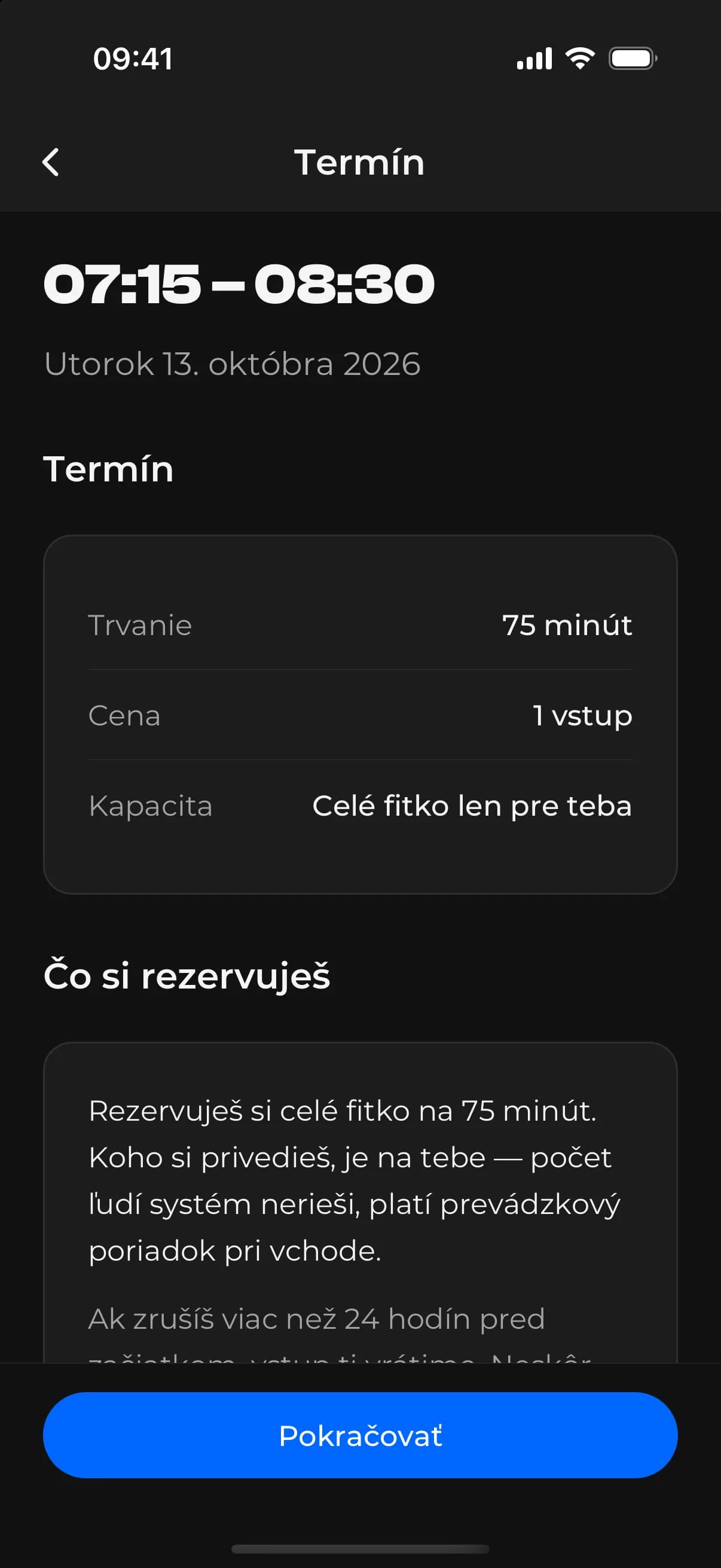
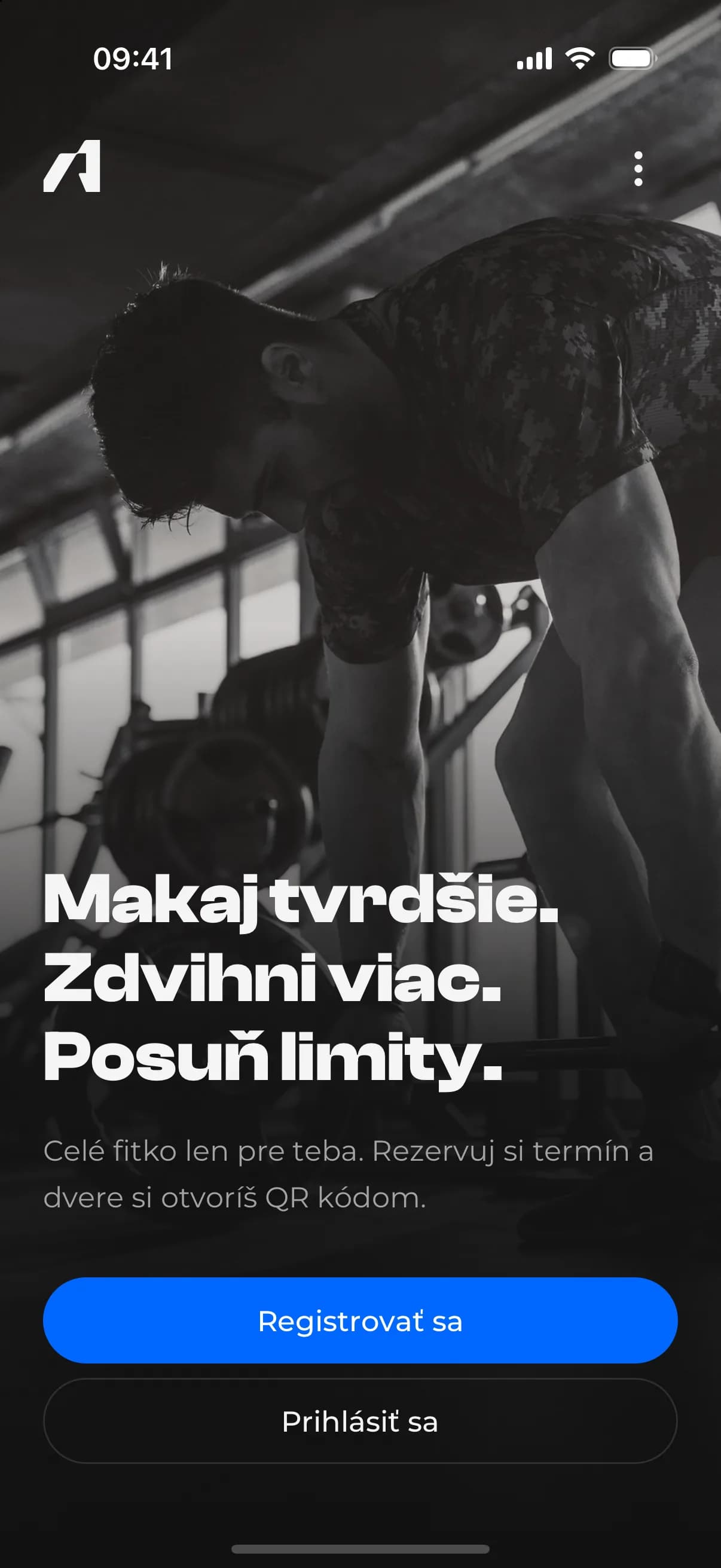
The native app for iOS and Android offers the same as the customer area on the website. In the calendar, customers see free slots grouped into morning, late morning and afternoon; the summary counts down the held slot; after confirmation they see the booking with its QR code.
Tapping a closed day shows the reason, such as air-conditioning maintenance.
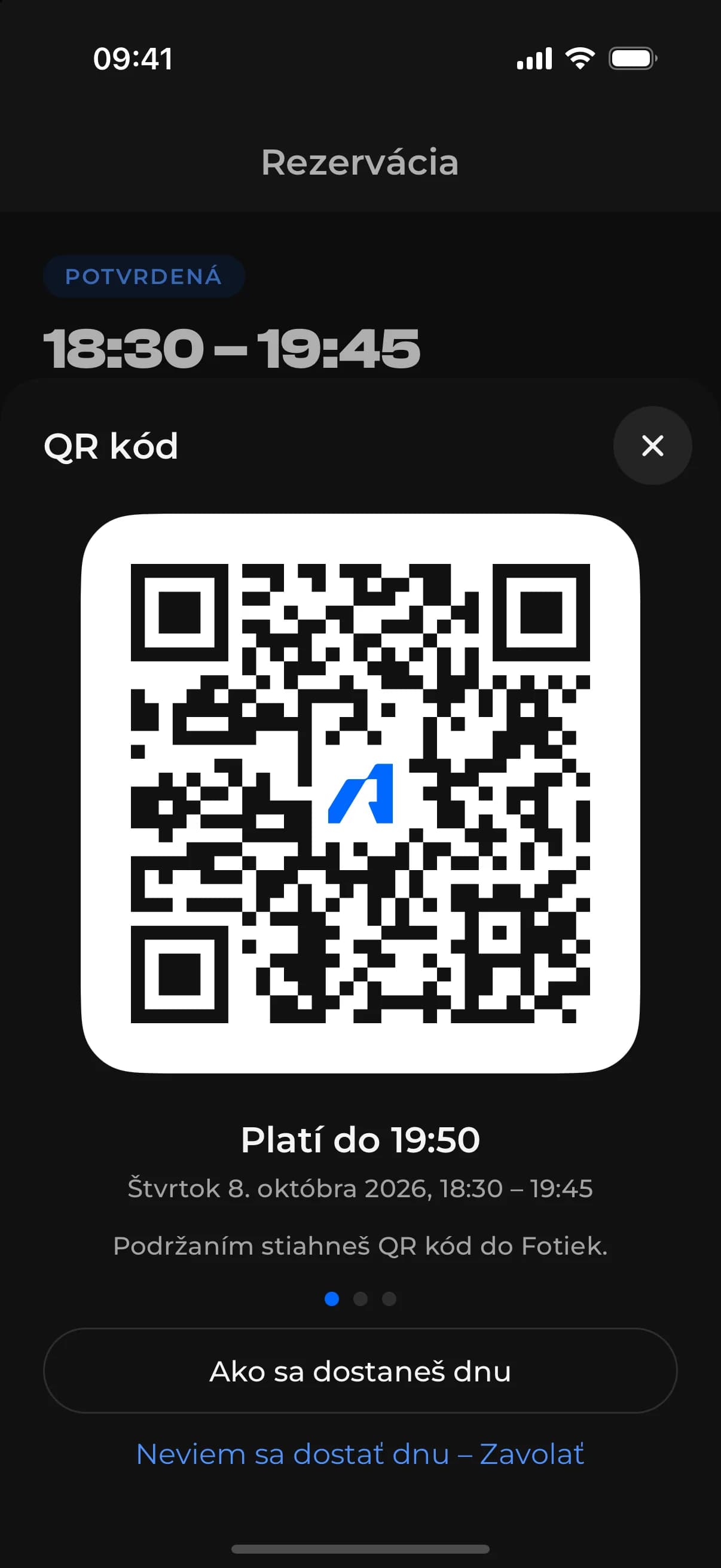
A QR code for the door valid only for the time of the slot
The QR code is random and tied to a single booking. It is valid from 5 minutes before the start to 5 minutes after the end of the slot, and a cancelled booking invalidates it immediately. The door reader asks the system, and if anything goes wrong the door stays shut.
Every attempt to enter, successful or refused, is recorded with the reason. The app also explains how to get in and has a button to call if the door doesn’t open. Verification is complete and waits for the reader to be installed on the door.
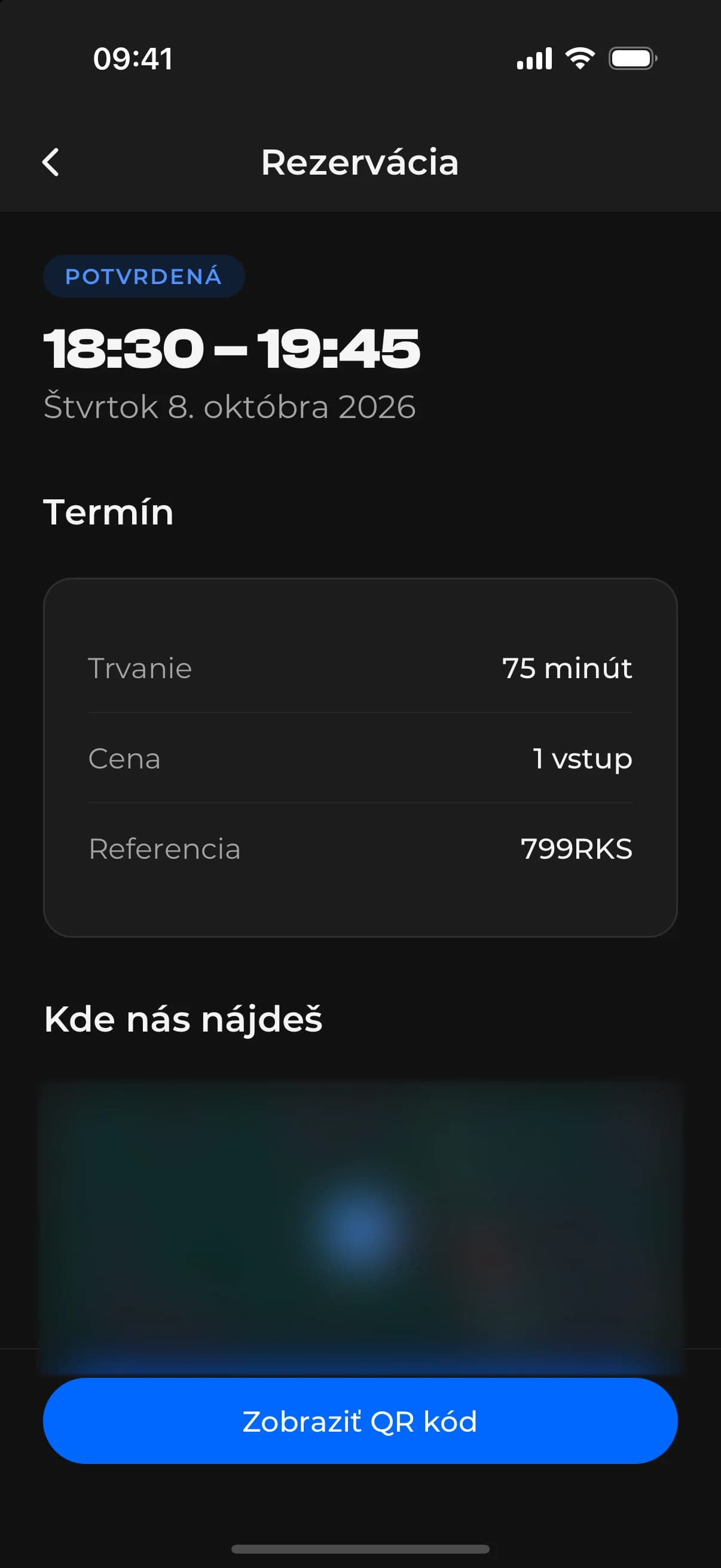
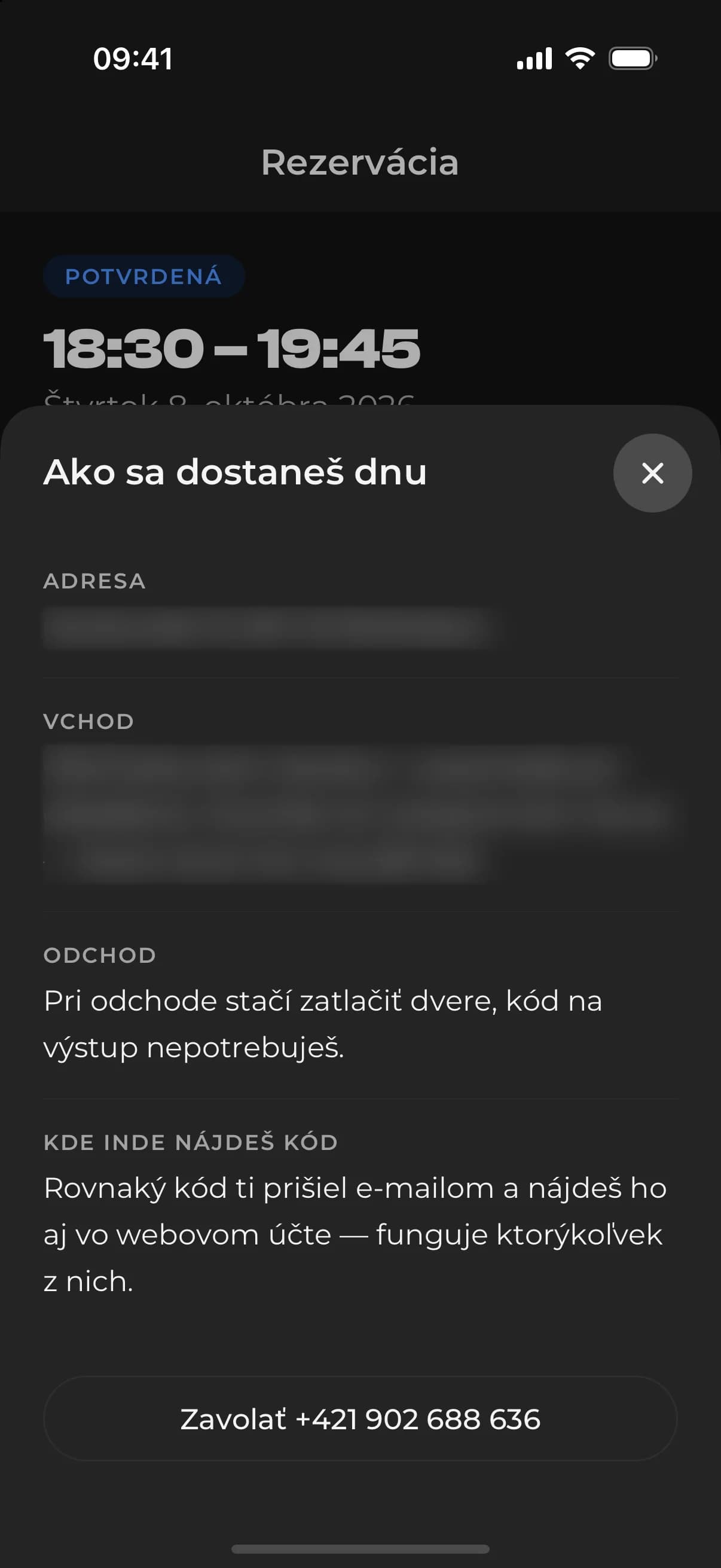
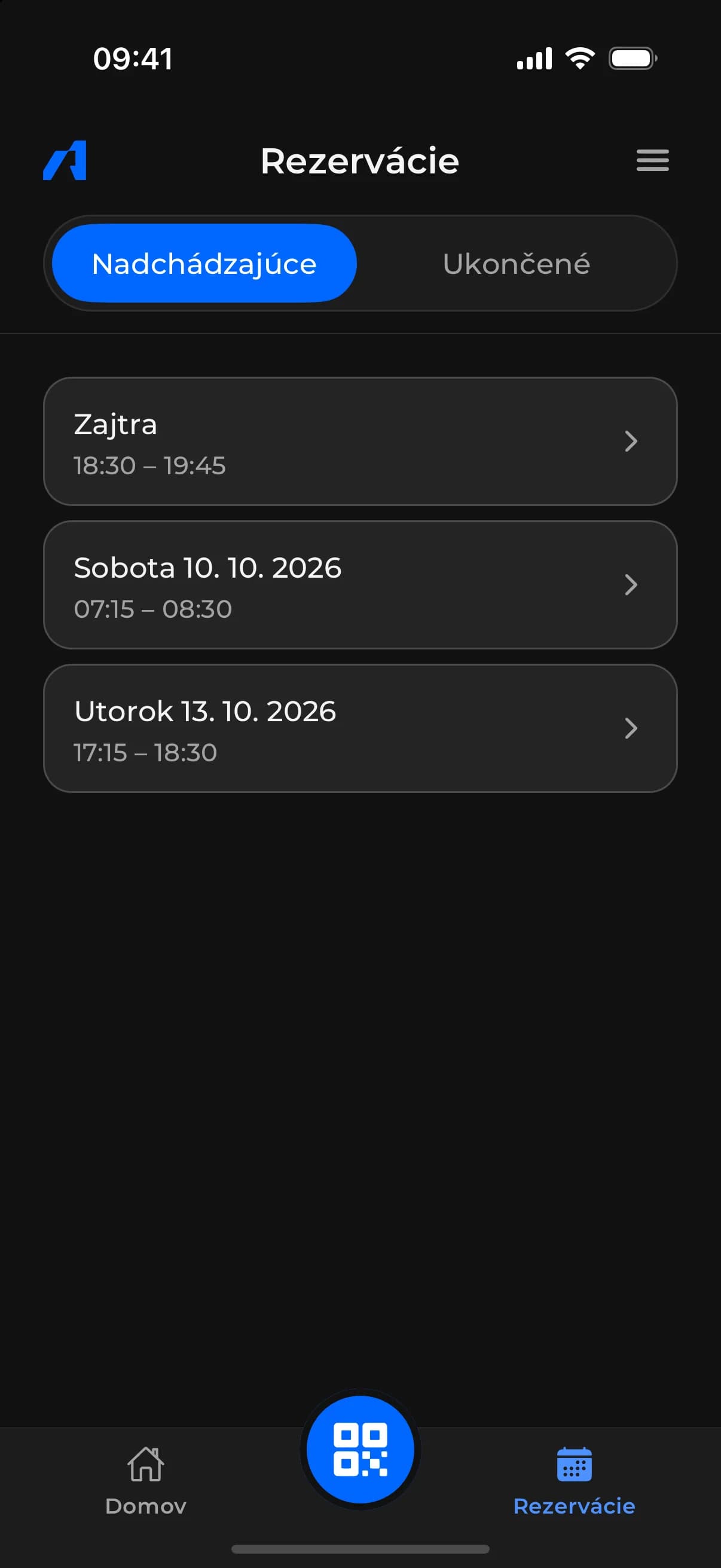
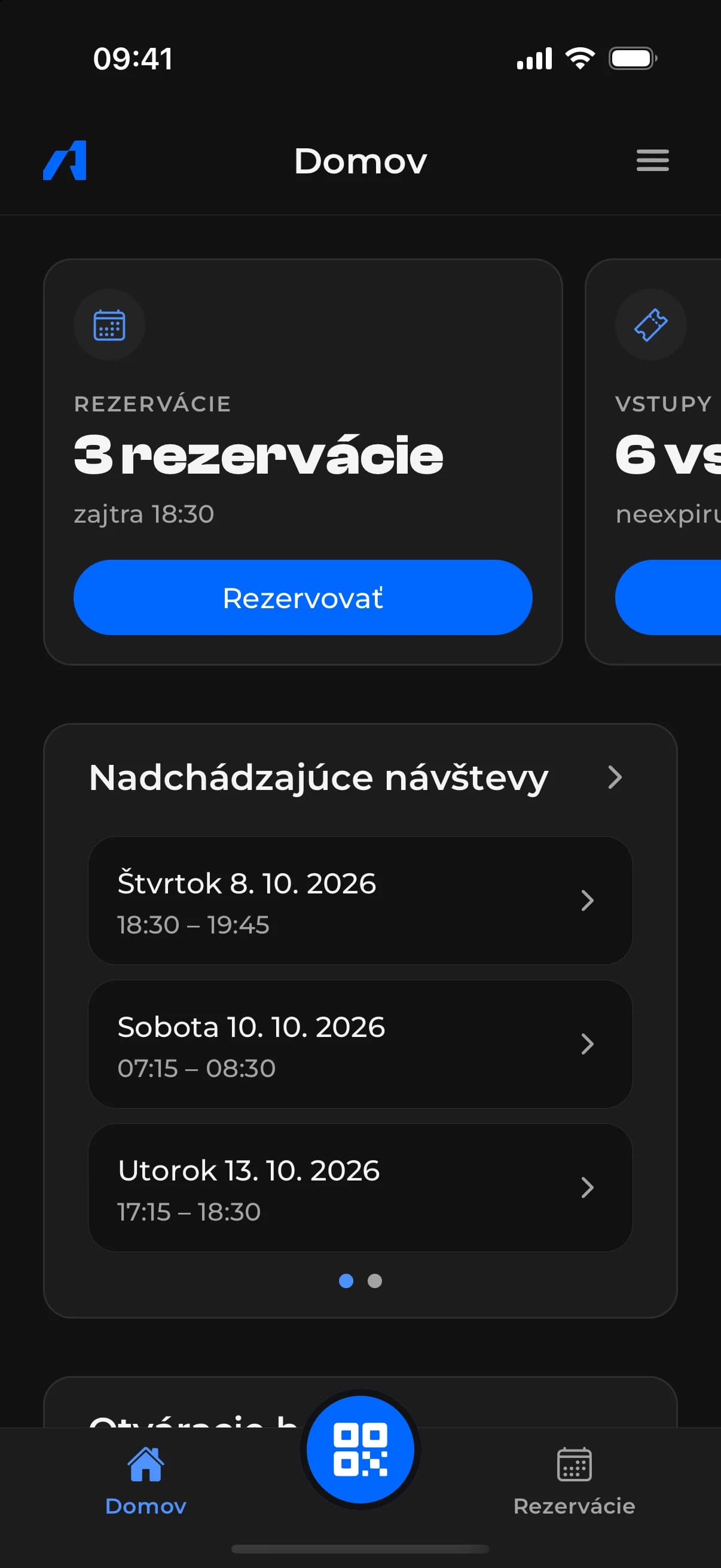
Home, bookings and entry history the customer’s overview in the app
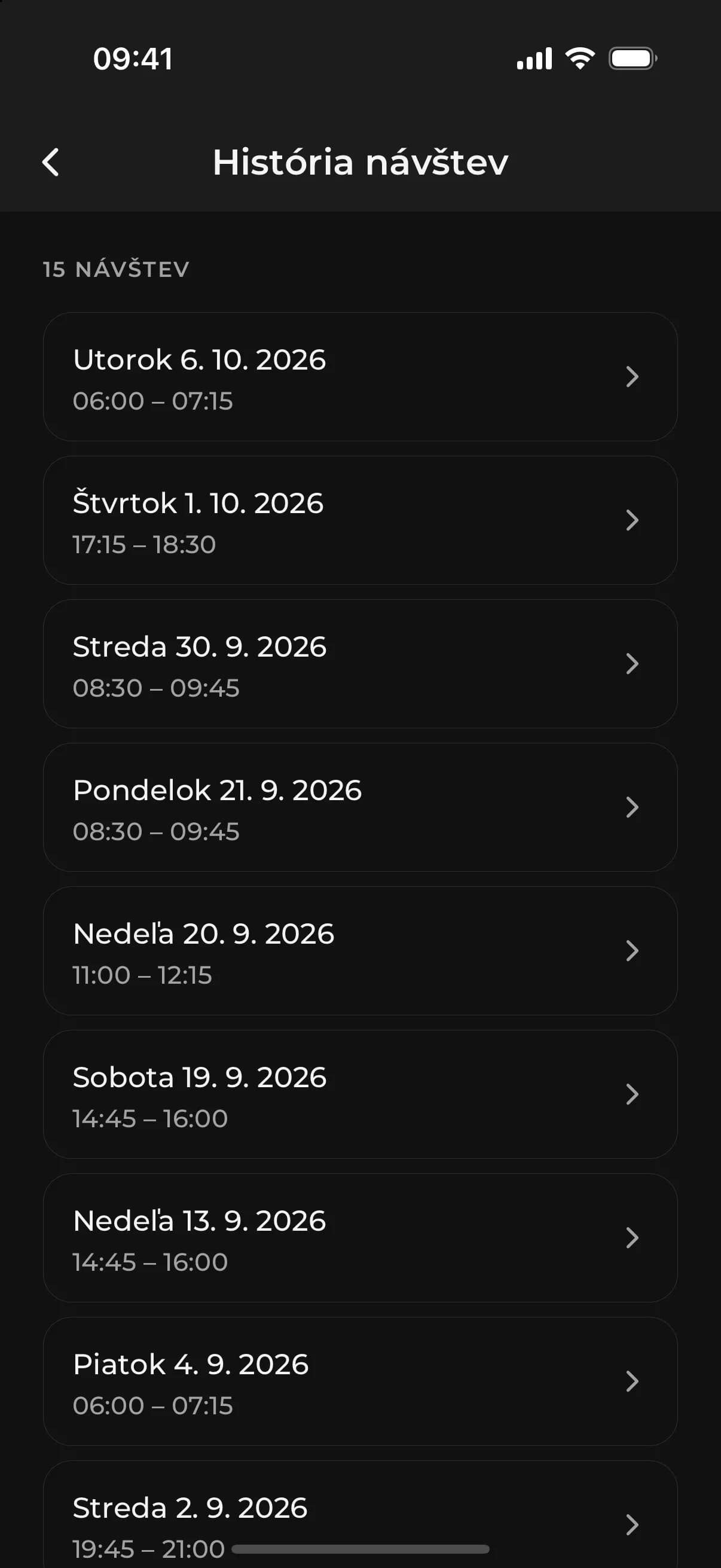
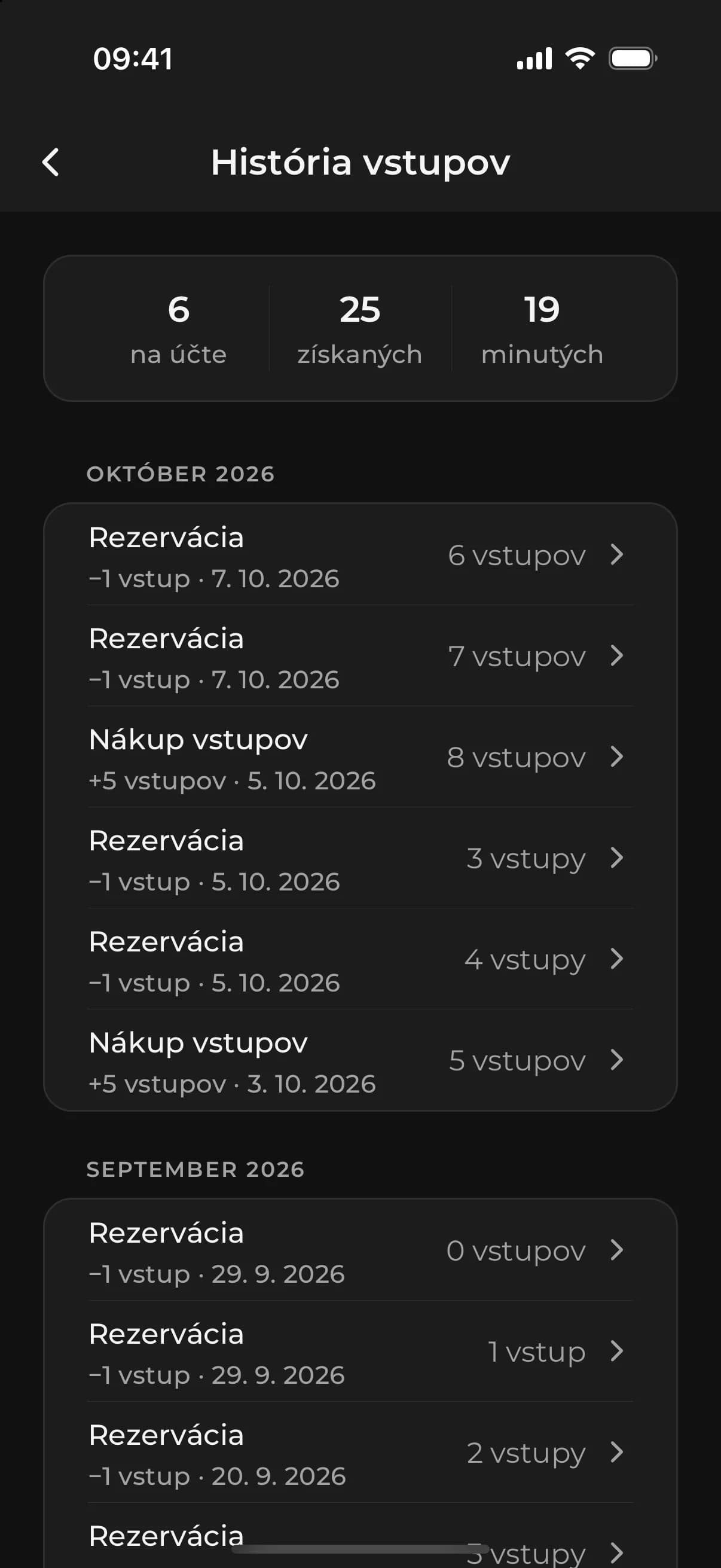
The home screen shows the number of bookings, the entry balance and the next visits, with the QR code button in the middle of the tab bar. Customers have upcoming and past bookings, their visit and entry history and receipts to hand.
The app is complete and runs as a test build against the live system. Release on the App Store and Google Play and push notifications wait for the client’s developer accounts.
- Password-free sign-in with a code from e-mail
- Push notifications on confirmation, changes and reminders
- Account deletion confirmed by code, accounting records kept
The customer area on the website entry balance, receipts and movements
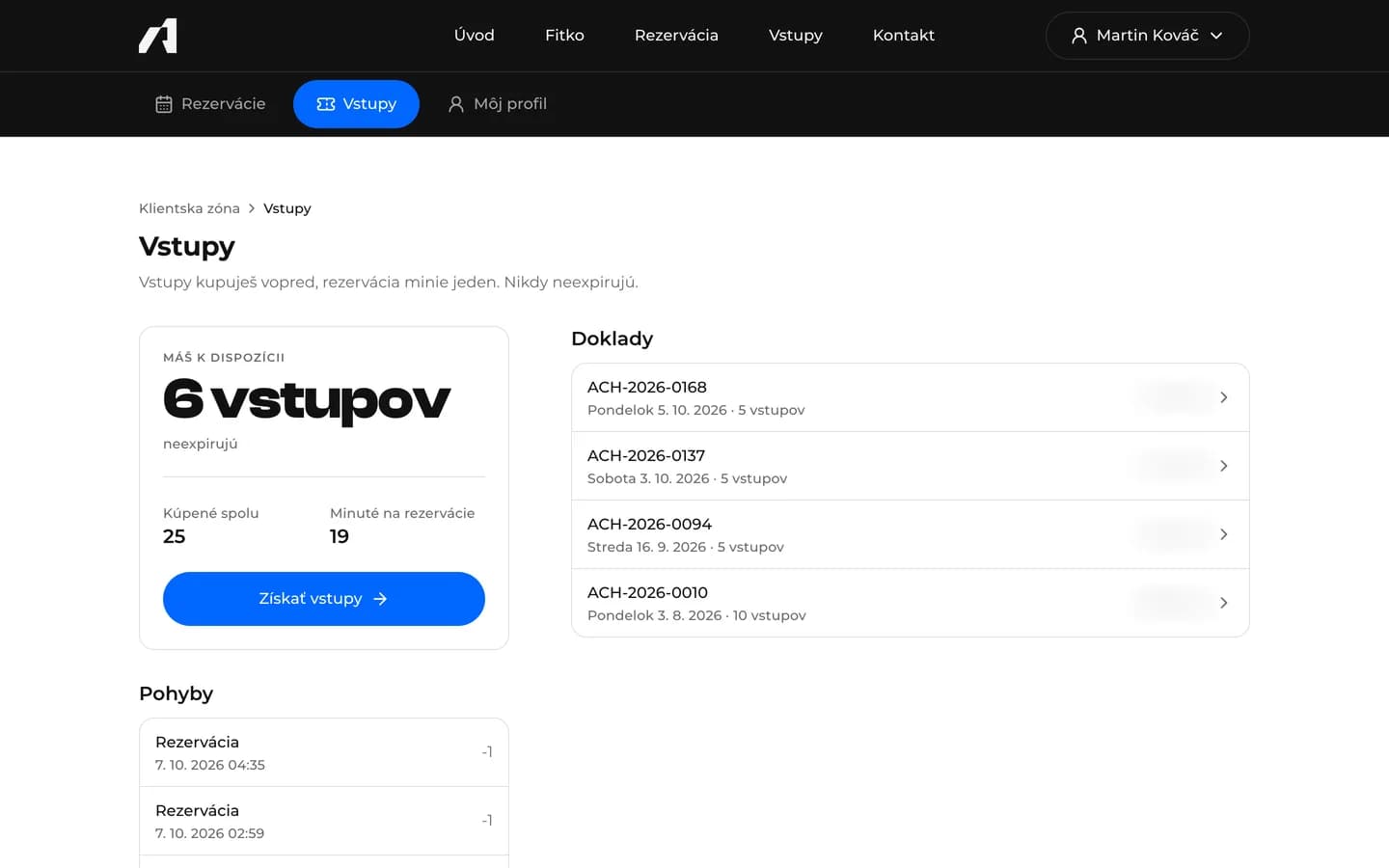
On the website, customers can do the same as in the app: bookings with QR codes, the entry balance, receipts and their profile.
The balance is always calculated from the record of movements – purchases, bookings, refunds on cancellation and adjustments by staff. Records can only be added, so the account can be accounted for at any time. Card payments are complete and tested in test mode; live payments need the client’s payment account.
A daily overview for the owner bookings, free slots and entries
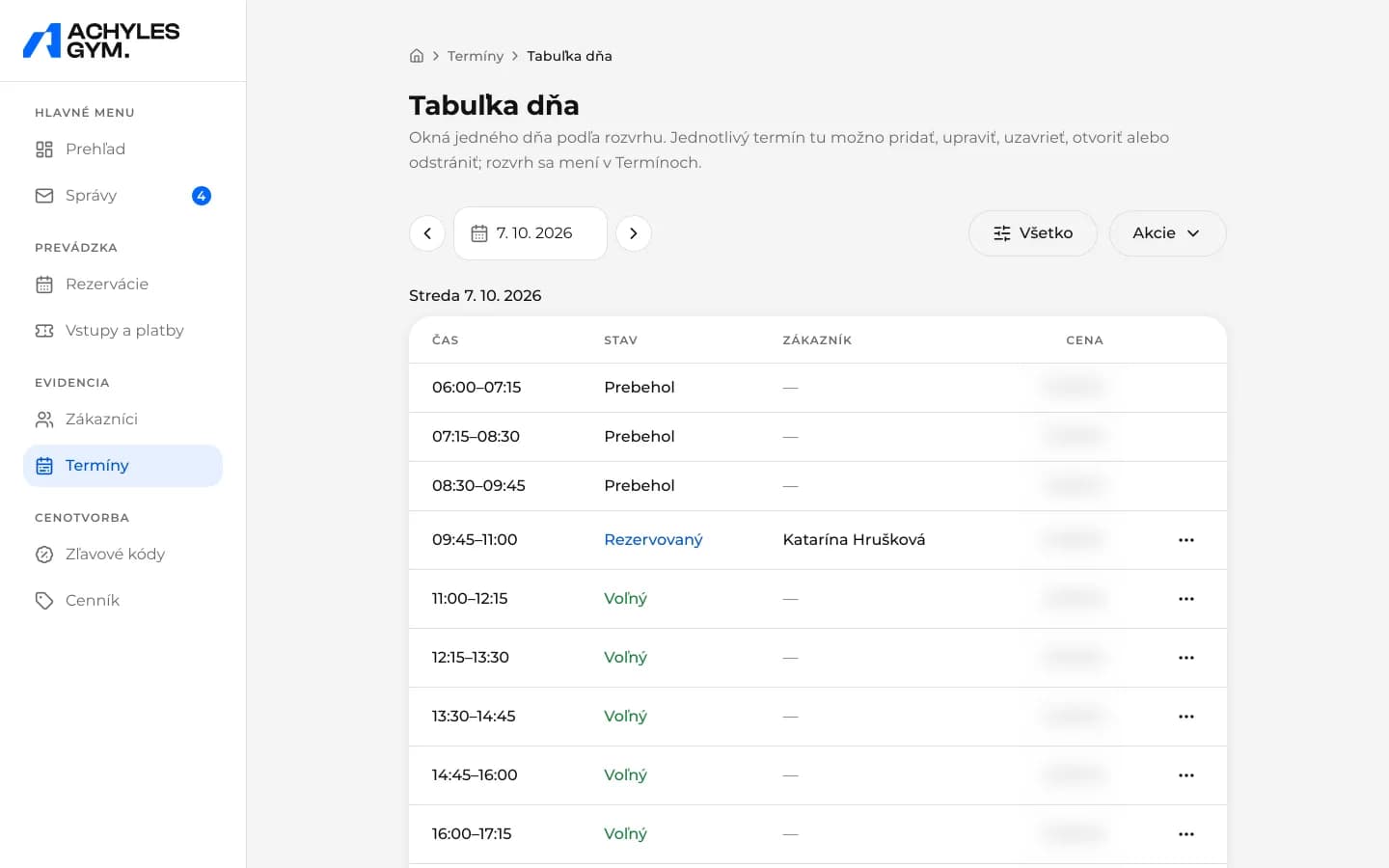
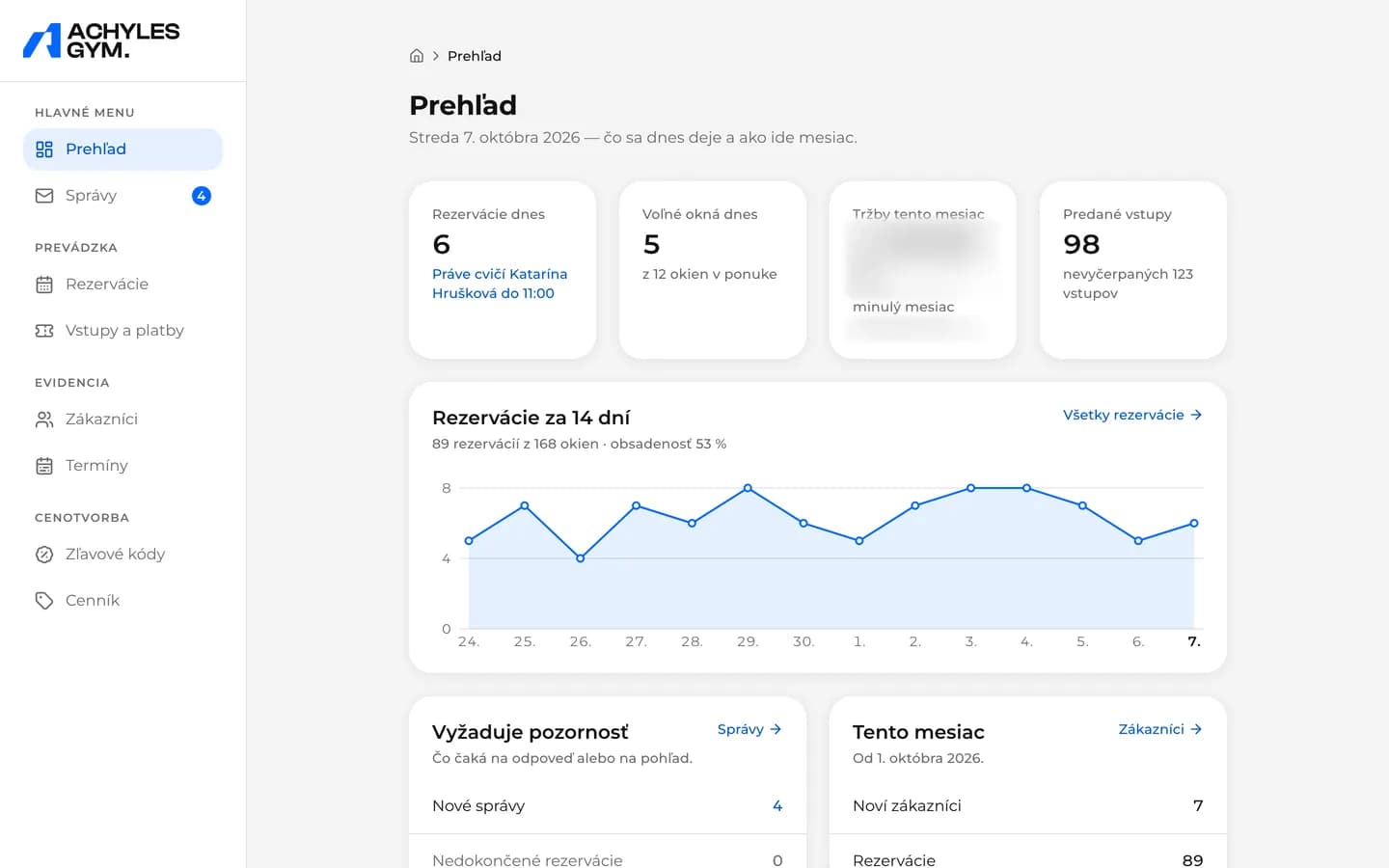
In the morning, the owner sees today’s bookings in the CMS, who is training right now, free slots, entries sold and unused, and a 14-day booking chart. “Needs attention” sums up new contact-form messages, unfinished bookings and refused attempts at the door.
The day table lists every slot with its status and the customer’s name. Staff can adjust a customer’s entries only by giving a reason.
Exceptions to opening hours cancelled slots and refunded entries
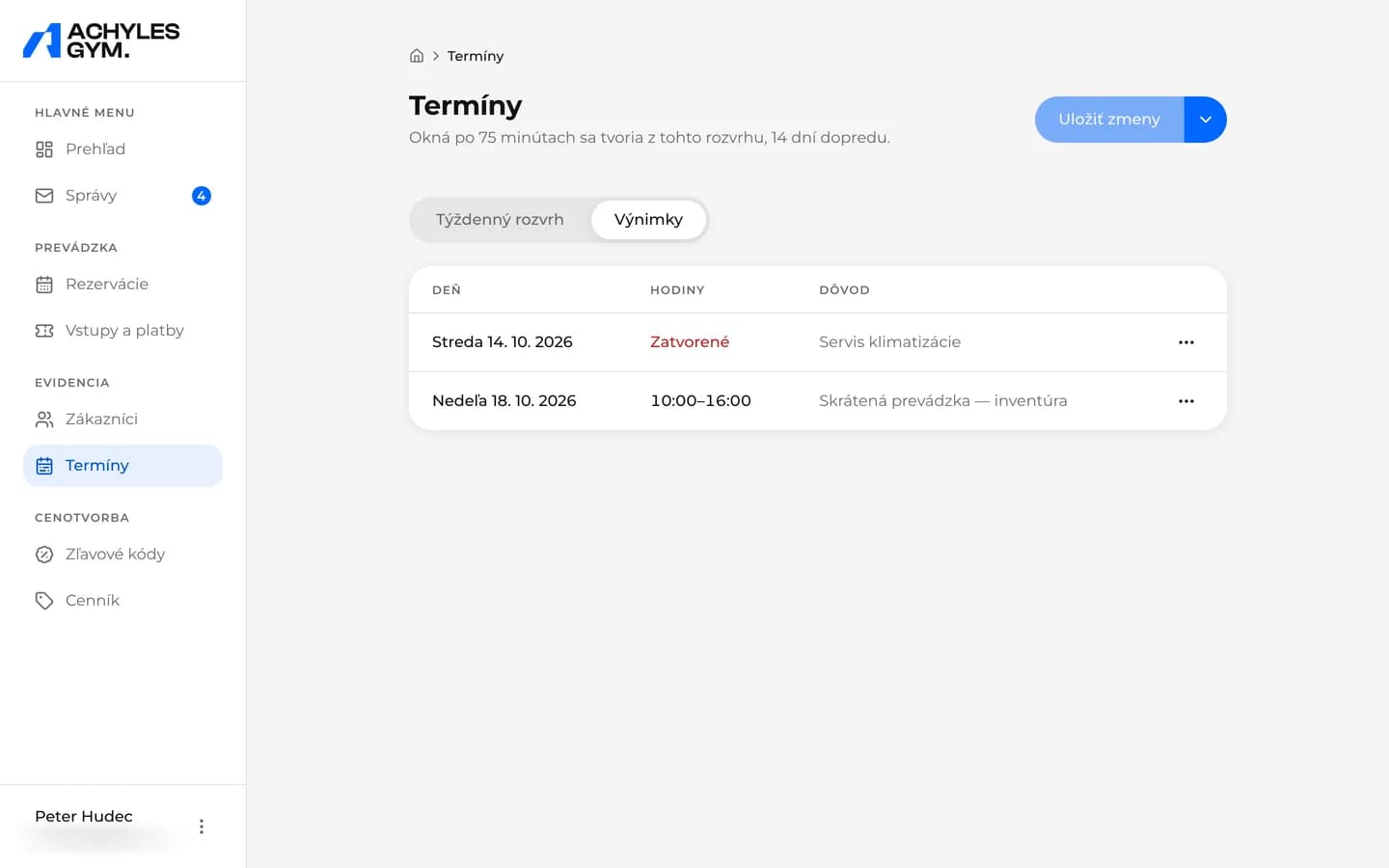
The weekly schedule sets when the gym is open. The owner enters an exception – a closed day or shorter hours – for a single day or a range of days, always with a reason.
If an exception affects existing bookings, the system cancels them, refunds the entries and e-mails the customers. In the booking detail, the customer sees that the gym cancelled the slot and the entry was returned.
Prices and discount codes changed without a developer
The owner changes the price of an entry, the size and price of the package and the price of a custom number of entries in the CMS, and the website and app pick them up automatically.
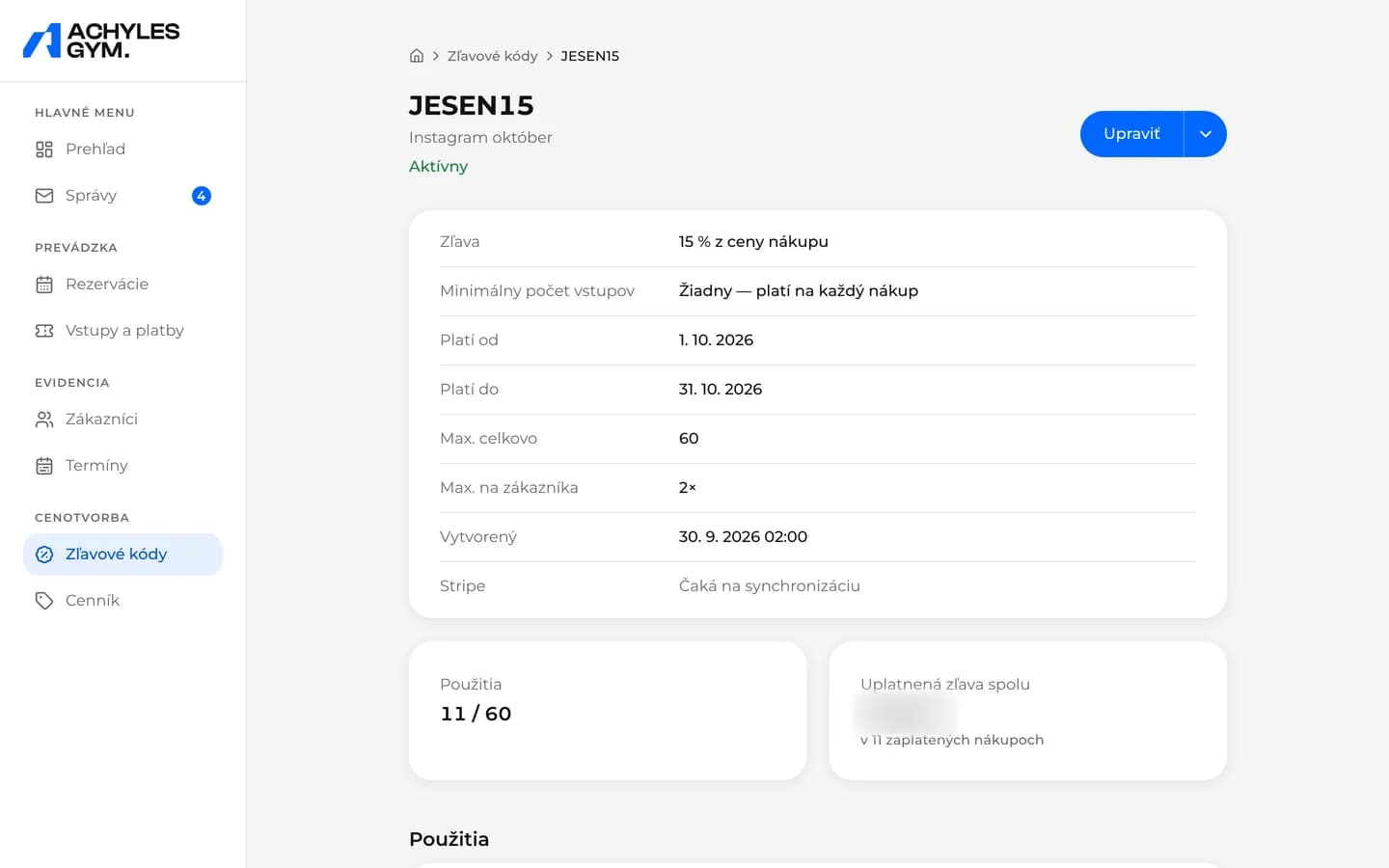
A discount code can be a percentage or a fixed amount, with a validity period, usage limits overall and per customer, and the option to pause it. The code detail shows every use and the total discount applied.
An audit trail who changed what and when
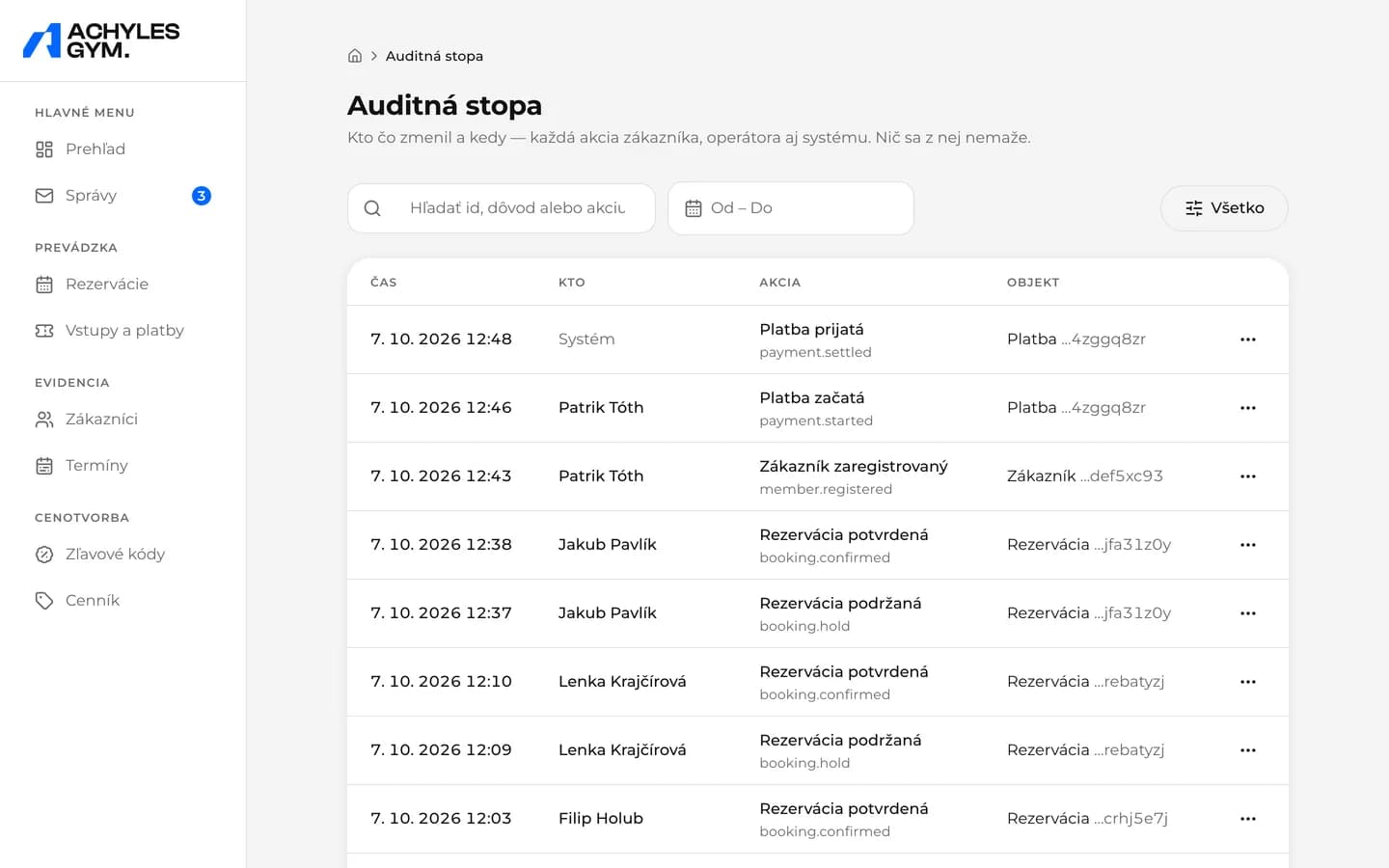
Every change in the system is recorded with its state before and after – actions by customers, staff and the system itself. Records can’t be edited or deleted.
Staff sign in to the CMS with a password and a code from e-mail. The CMS includes a staff handbook that is updated with every change to the CMS.
A system for a gym without a reception desk website, app and CMS ready to open sales
The achylesgym.com website is public and the CMS is live. The mobile app is complete and runs as a test build against the live system. Buying entries and booking are switched off on the website until the client decides to open sales.
Card payments, the app on the App Store and Google Play, push notifications and entry through the door reader are complete. They switch on through configuration once the client provides payment and developer accounts and installs the reader, with no further development.
What we delivered
- 01Website with a booking calendar
- 02Customer area on the website
- 03Mobile app for iOS and Android
- 04CMS for the owner and staff
- 05Entries, card payments and discount codes
- 06Gym entry with a QR code
Got a project? We'd love to help.
No lengthy forms — just message us straight through chat. Our AI assistant will help right away, and we'll get back to you. Alternatively, send us an email at [email protected]
INTERFÁČIK uses artificial intelligence and its answers may be inaccurate. Please don't send sensitive personal data. By using the chat you agree to the processing of your data to the extent necessary to handle your request, in accordance with our privacy policy.